Snowflake Lab
A downloadable tool
❄️ Snowflake Lab v0.1
A playful geometric snowflake generator for artists, bakers, makers, and anyone who enjoys experimenting with symmetry.
Snowflake Lab is a browser-based design tool that generates symmetrical snowflakes using a customizable vocabulary of geometric shapes. Combine polygons, branching lines, diamonds, triangles, chevrons, and other elements to create everything from delicate winter decorations to unusual geometric ornaments.
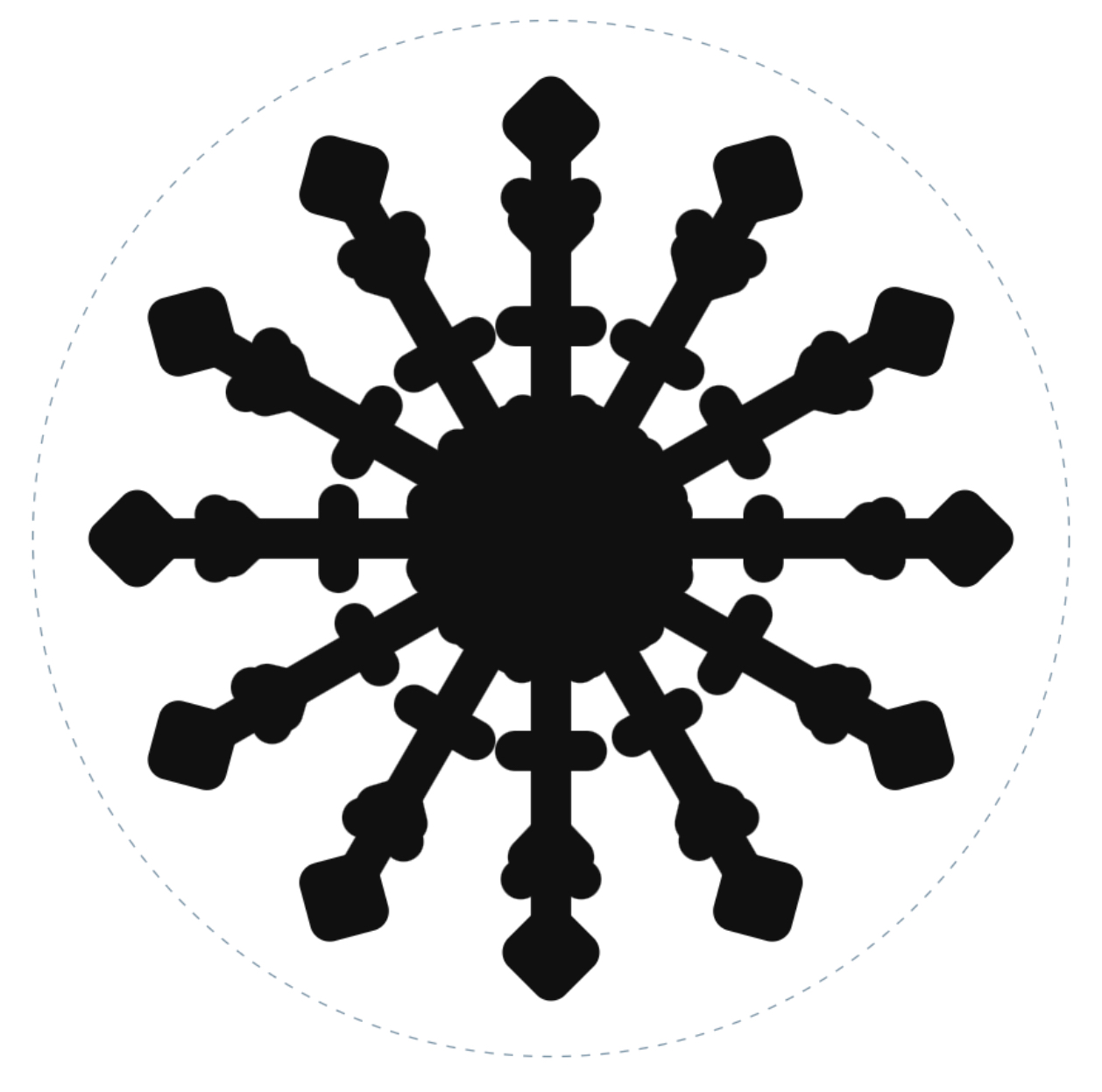
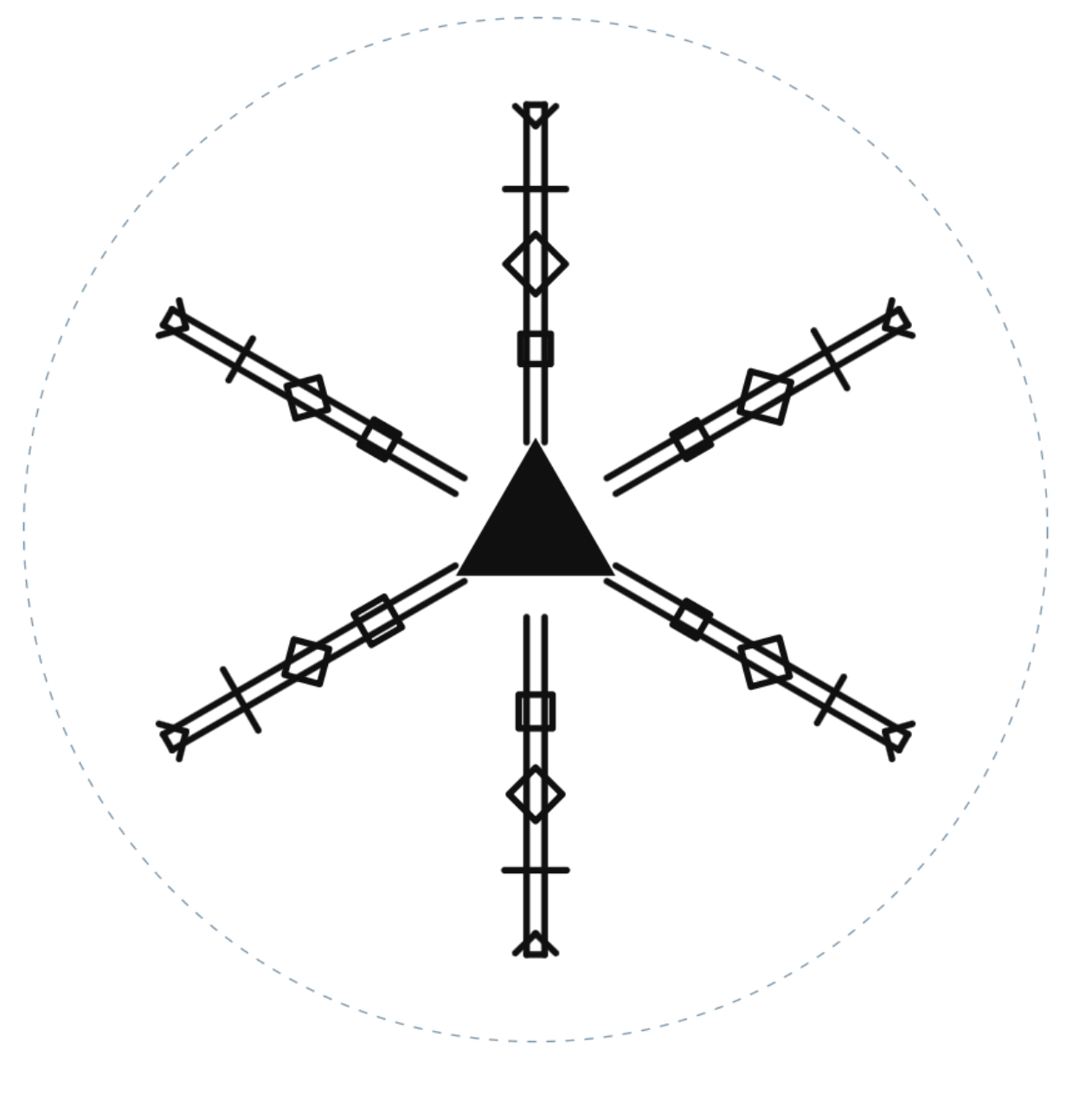
Some results look like traditional snowflakes. Others resemble mechanical diagrams, abstract symbols, or strange little architectural constructions. That’s part of the fun!
Every design is generated using radial symmetry, so even the oddest combinations maintain an underlying geometric order.
How It Works
Snowflake Lab builds designs from a central shape surrounded by repeating radial arms. Each arm can contain multiple decorative elements, allowing for a wide range of variations.
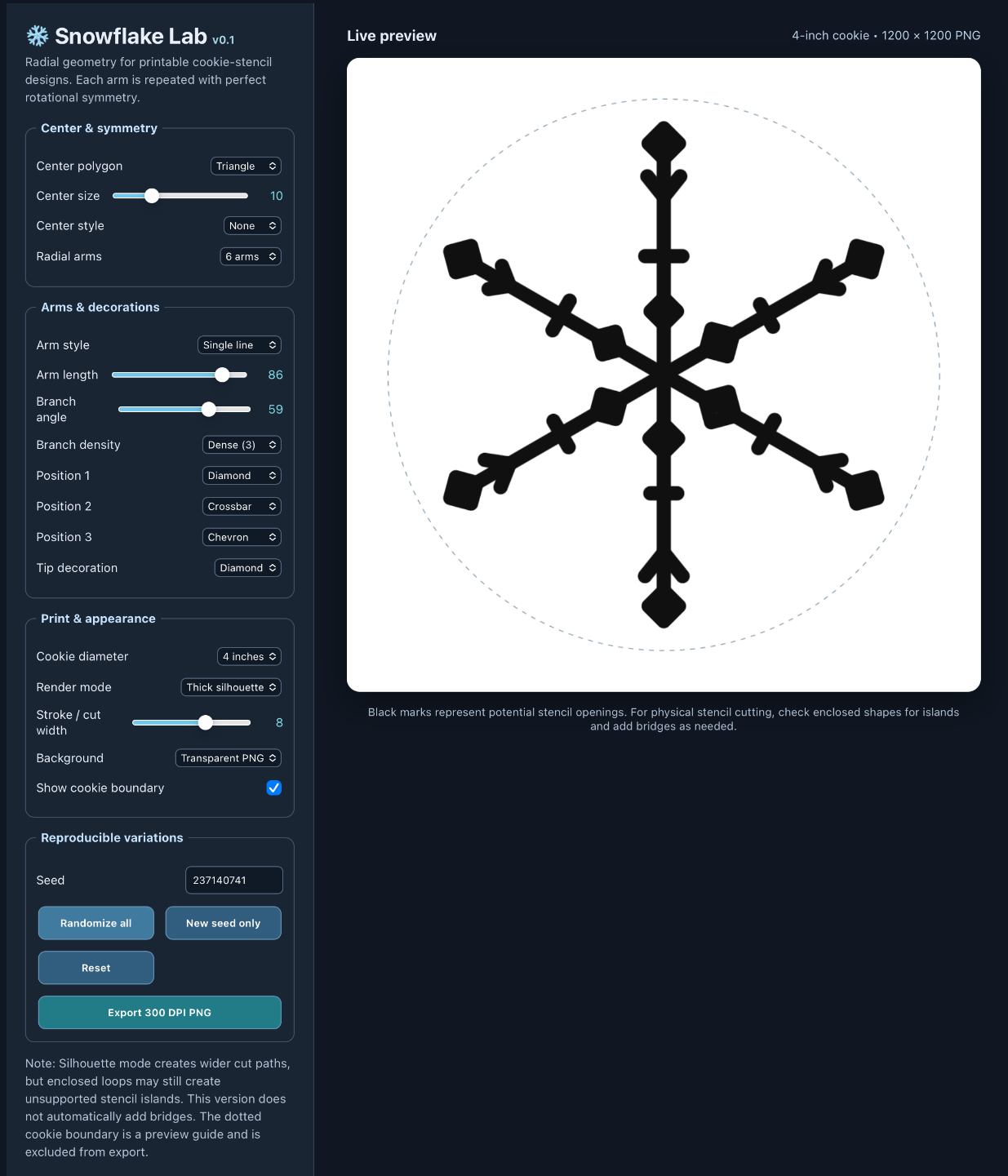
Start with a triangle, square, pentagon, hexagon, or another polygon. Choose the number of arms, adjust their lengths and angles, and add geometric details at different positions.
You can customize individual components or use the randomizer to discover unexpected combinations.
Features include:
- Perfect radial symmetry: Generate designs with 3 to 12 repeating arms.
- Customizable centers: Choose polygons from triangles through octagons.
- Multiple arm styles: Experiment with single lines, double lines, tapered arms, and zigzags.
- Geometric decorations: Combine diamonds, squares, triangles, chevrons, forks, crossbars, and other elements.
- Independent controls: Adjust branch density, angles, arm length, and decorative positions.
- Random generation: Quickly explore new designs with the Randomize All function.
- Reproducible variations: Use seed values to revisit particular configurations.
- Two rendering styles: Switch between fine line drawings and bold, thickened silhouettes.
- PNG export: Save your designs for printing, editing, or use in other creative projects.
Designed with Cookie Stencils in Mind
Snowflake Lab began as an experiment in generating winter-themed designs for decorated cookies.
The program includes 3-inch and 4-inch cookie guides, helping you visualize how a design might fit on a standard round cookie.
PNG exports are generated at 300 pixels per inch, with dimensions suitable for preparing printable designs.
The thickened silhouette mode is particularly useful for exploring stencil-like patterns, while line drawing mode provides a starting point for tracing, editing, or creating custom templates.
Please note: Snowflake Lab does not automatically create structural bridges for stencil cutting. Some designs may contain enclosed areas or fine details that require additional editing before they can be used as physical stencils.
Beyond Snowflakes
Although the program was developed for snowflake designs, its geometric vocabulary can produce a surprising variety of forms.
Try using it to create:
- Winter ornaments and holiday decorations
- Cookie and cake stencil patterns
- Geometric illustrations
- Abstract radial symbols
- Printable craft templates
- Decorative motifs for cards and packaging
- Experimental generative artwork
Sometimes the most interesting results are the ones that don’t look much like snowflakes at all.
A Small Creative Laboratory
Snowflake Lab is an experimental design tool rather than a collection of premade snowflake illustrations.
The idea is simple: provide a small dictionary of geometric components, establish a few rules for combining them, and see what happens.
With a little experimentation, simple lines and polygons can produce an unexpectedly broad range of designs.
Version 0.1 is the first release, focused on geometric construction, symmetry, randomization, and PNG export.
Future experiments may explore additional geometric components, more elaborate branching structures, and improved stencil preparation.
Getting Started
Snowflake Lab runs directly in a modern web browser. No installation or account is required.
- Open the program.
- Click Randomize All to generate a design.
- Adjust the controls to explore variations.
- Select your preferred rendering mode and cookie size.
- Export your design as a PNG.
Or ignore the randomizer and build something entirely your own!
Make a snowflake. Make something strange. See what geometry can do.
Snowflake Lab v0.1 — A small experiment in symmetry, variation, and geometric play.
❄️ Snowflake Lab v0.1
A playful geometric snowflake generator for artists, bakers, makers, and anyone who enjoys experimenting with symmetry.
Snowflake Lab is a browser-based design tool that generates symmetrical snowflakes using a customizable vocabulary of geometric shapes. Combine polygons, branching lines, diamonds, triangles, chevrons, and other elements to create everything from delicate winter decorations to unusual geometric ornaments.
Some results look like traditional snowflakes. Others resemble mechanical diagrams, abstract symbols, or strange little architectural constructions. That’s part of the fun!
Every design is generated using radial symmetry, so even the oddest combinations maintain an underlying geometric order.
How It Works
Snowflake Lab builds designs from a central shape surrounded by repeating radial arms. Each arm can contain multiple decorative elements, allowing for a wide range of variations.
Start with a triangle, square, pentagon, hexagon, or another polygon. Choose the number of arms, adjust their lengths and angles, and add geometric details at different positions.
You can customize individual components or use the randomizer to discover unexpected combinations.
Features include:
- Perfect radial symmetry: Generate designs with 3 to 12 repeating arms.
- Customizable centers: Choose polygons from triangles through octagons.
- Multiple arm styles: Experiment with single lines, double lines, tapered arms, and zigzags.
- Geometric decorations: Combine diamonds, squares, triangles, chevrons, forks, crossbars, and other elements.
- Independent controls: Adjust branch density, angles, arm length, and decorative positions.
- Random generation: Quickly explore new designs with the Randomize All function.
- Reproducible variations: Use seed values to revisit particular configurations.
- Two rendering styles: Switch between fine line drawings and bold, thickened silhouettes.
- PNG export: Save your designs for printing, editing, or use in other creative projects.
Designed with Cookie Stencils in Mind
Snowflake Lab began as an experiment in generating winter-themed designs for decorated cookies.
The program includes 3-inch and 4-inch cookie guides, helping you visualize how a design might fit on a standard round cookie.
PNG exports are generated at 300 pixels per inch, with dimensions suitable for preparing printable designs.
The thickened silhouette mode is particularly useful for exploring stencil-like patterns, while line drawing mode provides a starting point for tracing, editing, or creating custom templates.
Please note: Snowflake Lab does not automatically create structural bridges for stencil cutting. Some designs may contain enclosed areas or fine details that require additional editing before they can be used as physical stencils.
Beyond Snowflakes
Although the program was developed for snowflake designs, its geometric vocabulary can produce a surprising variety of forms.
Try using it to create:
- Winter ornaments and holiday decorations
- Cookie and cake stencil patterns
- Geometric illustrations
- Abstract radial symbols
- Printable craft templates
- Decorative motifs for cards and packaging
- Experimental generative artwork
Sometimes the most interesting results are the ones that don’t look much like snowflakes at all.
A Small Creative Laboratory
Snowflake Lab is an experimental design tool rather than a collection of premade snowflake illustrations.
The idea is simple: provide a small dictionary of geometric components, establish a few rules for combining them, and see what happens.
With a little experimentation, simple lines and polygons can produce an unexpectedly broad range of designs.
Version 0.1 is the first release, focused on geometric construction, symmetry, randomization, and PNG export.
Future experiments may explore additional geometric components, more elaborate branching structures, and improved stencil preparation.
Getting Started
Snowflake Lab runs directly in a modern web browser. No installation or account is required.
- Open the program.
- Click Randomize All to generate a design.
- Adjust the controls to explore variations.
- Select your preferred rendering mode and cookie size.
- Export your design as a PNG.
Or ignore the randomizer and build something entirely your own!
Make a snowflake. Make something strange. See what geometry can do.
Snowflake Lab v0.1 — A small experiment in symmetry, variation, and geometric play.
Download
Click download now to get access to the following files:
Leave a comment
Log in with itch.io to leave a comment.